this post was submitted on 28 Aug 2026
368 points (98.7% liked)

Programmer Humor

33011 readers
1491 users here now

Welcome to Programmer Humor!

This is a place where you can post jokes, memes, humor, etc. related to programming!

For sharing awful code theres also Programming Horror.

Rules

founded 3 years ago
MODERATORS
top 26 comments
sorted by: hot top controversial new old

If you're editing a VBA macro in an Excel workbook stored in OneDrive, it temporarily stops syncing the workbook file and can cause sync conflicts where you lose all your changes. This has been an issue for years.

Nobody in their right mind wants to work with VBA. Spending all day hammering out a macro or function only to have it magically poofed out of existence is just cruel.

So now I store Excel workbooks (where VBA is involved) on my work pc and have a PowerShell script that copies them to OneDrive on a schedule as a backup.

I'm still amazed that corporations everywhere subscribe to this ridiculous circus.

[–] brawndo@piefed.social 1 points 5 hours ago (1 children)

I use 3-2-1 backup strategy.

In the past I used google drive as a cloud backup. Periodic checks showed that the files stored on google did not have matching hashes. The files were changed somehow. Furthermore, the hashes changed from one month to the next.

I redownloaded the files and they were corrupted. Pictures had the wrong colors, videos had sections missing.

I kept the files on the drive and retested monthly. (I had paid for the year) They degraded every month.

I don't know how or why but google drive is not worth it, even at a free level. They will corrupt your data.

I have not tried onedrive because, in my mind, microsoft is even lower than google on quality.

My point is... Linux with multiple offsite backups. Buddy backups recommend over trusting any corp.

[–] Bluescluestoothpaste@sh.itjust.works 1 points 4 hours ago* (last edited 4 hours ago)

yeah onedrive is like google drive but it infects your entire local filesystem lmao i have to use it at work, and quite frankly it's an obstacle to work around for keeping my documents well-organized. lots of default options that encourage you to just dump everything into your top level folder.

[–] Gyroplast@pawb.social 10 points 9 hours ago

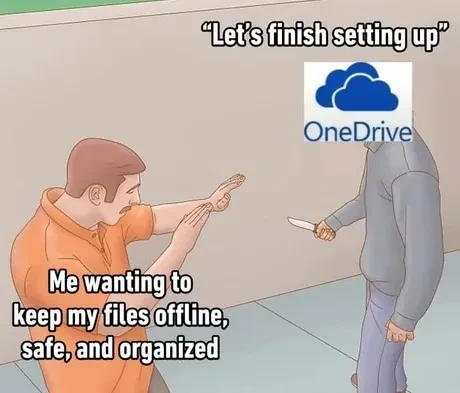
Don't do it! It's a set-up!

[–] Phantom_Feline17@lemmy.zip 7 points 10 hours ago

Honestly onedrive has to be the most bloated, ram hungry software ever programmed.

[–] Redkey@programming.dev 61 points 18 hours ago (3 children)

The most insidious part of OneDrive and Google's equivalent (Photos, etc.) on Android is that they both treat the cloud copy as the "original" and the local copy as temporary. That is, in normal usage, if you delete the local copy it remains in the cloud, but if you delete the cloud copy it also deletes the local copy automatically. Under both systems, if you want to delete something from the cloud but keep the local copy, you have to go through a separate, clunky web interface.

[–] mangobanana@discuss.online 2 points 4 hours ago

This make me so irate too if I'm deleting crap off my cloud (for more storage room) don't fucking delete it off my phone too. They changed this about 4 or 5 years ago I have to change all my photos locations in my phone storage to make sure they don't delete my pictures

[–] tynansdtm@lemmy.ml 33 points 18 hours ago* (last edited 3 hours ago) (1 children)

Just spent two evenings with a friend of my mom who was losing her mind because Google was threatening to cut off her emails if she didn't clear out pay for more storage space. Obviously her phone was uploading all her pictures so every time she cleared some space Google happily filled it back up for her automatically. Fortunately her frantic deletions were within the last 30 days so takeout recovered 36GB of dead husband pictures from a 15GB cloud. But let me tell you, clearing out Google Photos was tedious, there is no Select All button in the web interface because leaving their service is not something they want you to do.

[–] TwilightKiddy@scribe.disroot.org 12 points 9 hours ago (2 children)

If you ever have to do something like this again, rclone supports mounting Google Drive, at which point you'll be able to work with it as if it's a proper filesystem.

https://rclone.org/drive/

[–] tynansdtm@lemmy.ml 1 points 3 hours ago

Unfortunately, despite sharing the same pool of storage, Google Drive and Google Photos are different cloud services and you can't see photos from one on the other. And rclone's access to Photos is completely hamstrung. (Looks like I referred to it by both names in my last post, sorry for the confusion.)

[–] Cyber@feddit.uk 3 points 9 hours ago (1 children)

Wow, I didn't know that.

I can see I'm going to have to do something similar in the future, so my future self thanks you

[–] WhyJiffie@sh.itjust.works 5 points 8 hours ago* (last edited 8 hours ago)

photos on google photos might only be accessible with the appropriate rclone backend: https://rclone.org/googlephotos/

it has a few limitations, like google stores metadata (exif data) separately, so downloaded photos don't have them, there is another tool that puzzles it together automatically.
but now that I read it, for more than a year now rclone is only allowed to download what it uploaded? what bullshit is that, google?

[–] marcos@lemmy.world 10 points 14 hours ago

you have to go through a separate, clunky web interface

Yes, you get a Linux machine, and use the web interface there. It's less clunky than the one you get on Android, and way more reliable than whatever you do on Windows that would end-up with you uploading the files a second time.

[–] OpenStars@discuss.online 26 points 18 hours ago (1 children)
[–] rtxn@lemmy.world 14 points 17 hours ago (2 children)

Laughs in Europe. OneDrive is legally required to be a one-click uninstall.

[–] BartyDeCanter@piefed.social 23 points 17 hours ago (3 children)

You have to click to uninstall it? Laughs even harder in Linux.

[–] undefined@lemmy.hogru.ch 8 points 14 hours ago

Clicking things is so Windows

[–] locuester@lemmy.zip 1 points 11 hours ago

You can prob ask copilot too. But it'll prob fuck up and upgrade instead.

[–] rtxn@lemmy.world 0 points 12 hours ago (1 children)

If you would prefer to use PowerShell...

[–] BartyDeCanter@piefed.social 3 points 8 hours ago

I'd prefer that things I don't want installed, aren't installed from the beginning.

[–] green_red_black@slrpnk.net 7 points 17 hours ago (1 children)

Now if only they applied that for the browser and all the other bloatware

[–] rtxn@lemmy.world 11 points 15 hours ago (1 children)

It does. I've been able to uninstall everything from Copilot to Edge on my second PC.

[–] green_red_black@slrpnk.net 1 points 6 hours ago (1 children)

Guess it's not a US thing because I can't seem to find the option to one click uninstall the Microslop bloat

[–] rtxn@lemmy.world 1 points 6 hours ago (1 children)

Use this: https://winutil.christitus.com/

It's a GUI wrapper for PowerShell commands to customize a Windows install, and has a section where you can remove AppX packages (Copilot and similar). And a lot more. I strongly recommend it.

[–] green_red_black@slrpnk.net 1 points 4 hours ago

What I meant is having a one click uninstall. I know there is a technical way to do it but not everyone is IT trained

[–] cinoreus@lemmy.world -1 points 11 hours ago