Hello selfhosted community,
I just wanted to give you a short update on XPipe, a new type of shell connection hub and remote file manager that allows you to access your entire sever infrastructure from your local machine through your installed command-line programs.
Since I last posted about it here around one month ago, a lot of things have changed thanks to the community sharing a lot of feedback and reporting issues. Overall, the project is now in a much more stable state as all the accumulated issues have been fixed. Furthermore, many feature requests have been implemented. This includes for example:
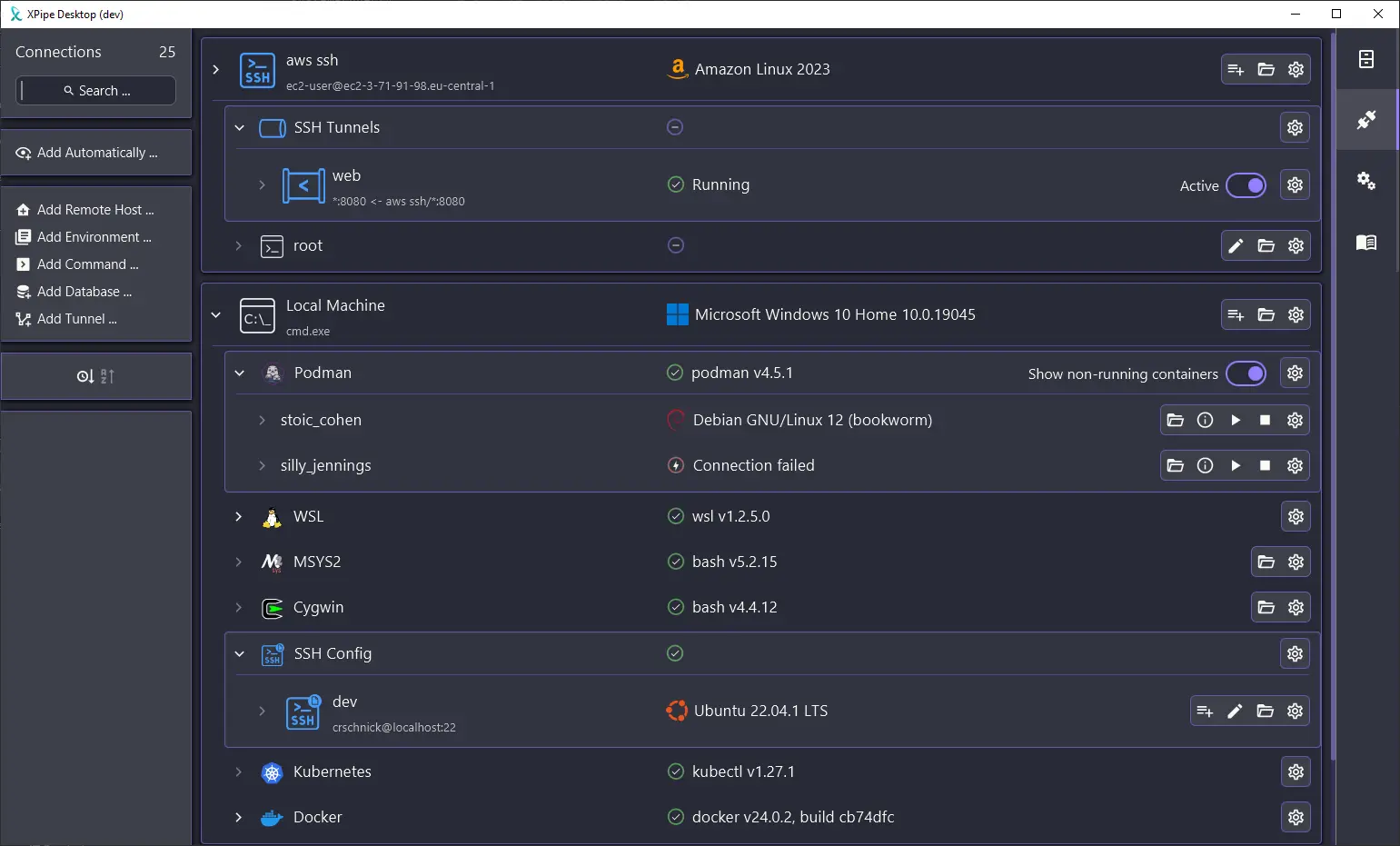
- SSH tunnel support (Local, Remote, and Dynamic)
- Automatic import from your SSH configs
- Podman support
- Support for other Linux environments on Windows such as Cygwin or MSYS2
- Fish support
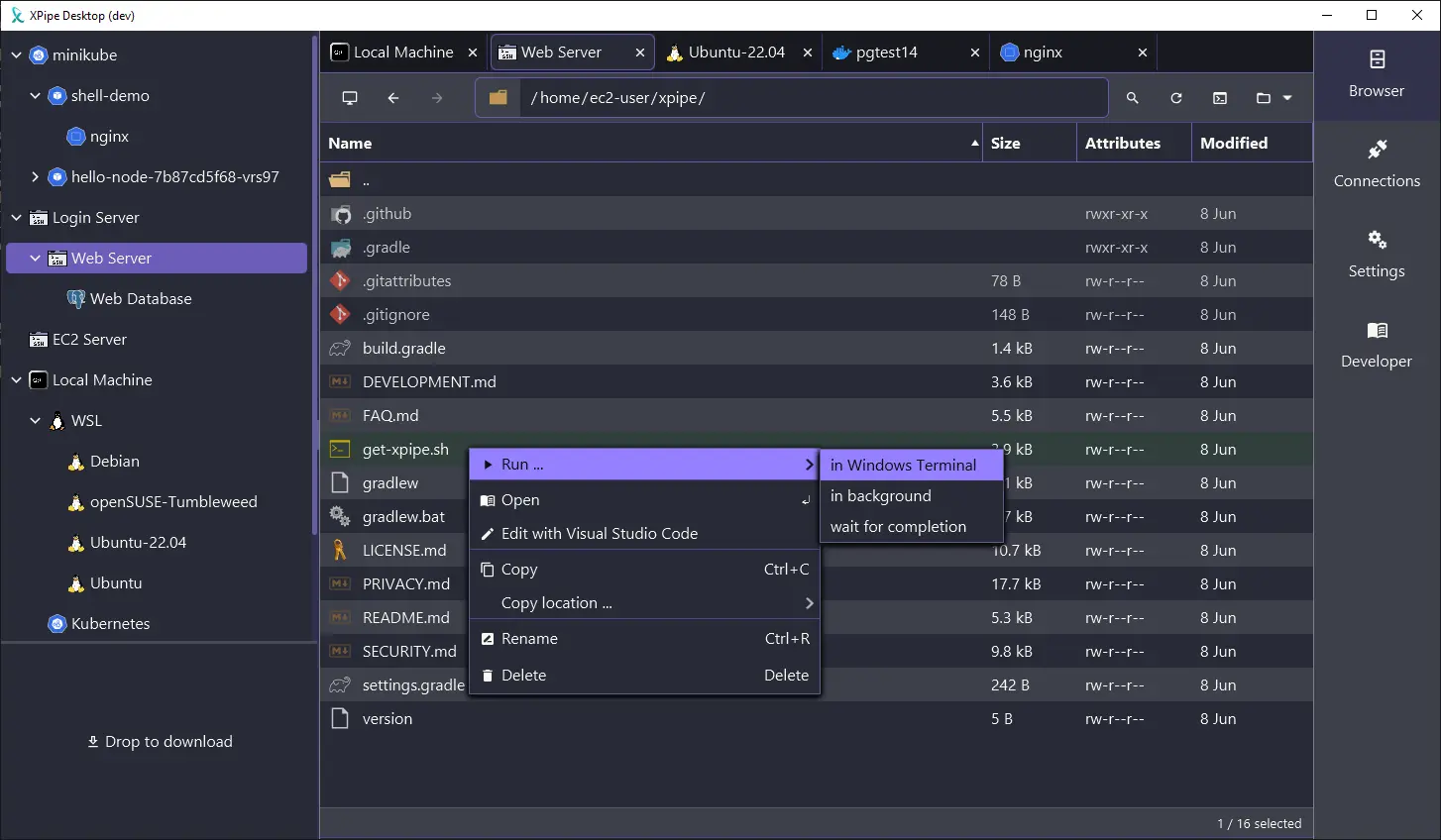
- Support for more terminals and editors such as Alacritty, Kitty, and more
Here are some screenshots:
Overall, there have also been a lot of changes across the board:
-
In terms of security and the handling of passwords, people did not like storing their passwords in yet another tool, so a lot of changes have been made. You can now source all required passwords either on the fly with a prompt or call the CLI of your password manager to fetch them.
-
The UI also got an overhaul and is now much more responsive and performant. Many of the icons were redone to achieve a more uniform look plus it now also displays the logo of the os/distro you connected to. It is also made to be more intuitive in many aspects.
-
In terms of availability, there are also now ARM builds available for Linux, plus a new xpipe AUR package. The available automatic installation scripts for bash and PowerShell have also been improved.
-
Of course a lot of bugs have been fixed as well and I learned a lot about in what kind of different environments people use this tool.
So if you gave this project a try a while ago or it sounds interesting to you, you can check it out on GitHub! There are still more features to come in the near future. I also appreciate any kind of feedback to guide me in the right development direction. There is also a Discord and Slack workspace for any sort of talking, now with a small community present.
Enjoy!

Yeah since the last time a lot of aspects were improved, including the GUI performance which was quite bad. I hope it works out now