linuxserver.io have a templates for Authelia and Authentik on nginx
this post was submitted on 25 Jul 2023
51 points (96.4% liked)
Selfhosted
61425 readers
608 users here now
A place to share alternatives to popular online services that can be self-hosted without giving up privacy or locking you into a service you don't control.
Rules:
-
Be civil.
-
No spam.
-
Posts are to be related to self-hosting.
-
Don't duplicate the full text of your blog or readme if you're providing a link.
-
Submission headline should match the article title.
-
No trolling.
-
Promotion posts require active participation, with an account that is at least 30 days old. F/LOSS without a paywall has exceptions, with requirements. See the rules link for details. Tags [CBH] or [AIP] are required, see the links in Rule 8 for details.
-
AI-related discussions and AI-involved promotional posts have additional requirements for tagging, as noted in Rule 7 and the AI & Promotional Post Expanded Rules post, and find example disclosures here.
Resources:
- selfh.st Newsletter and index of selfhosted software and apps
- awesome-selfhosted software
- awesome-sysadmin resources
- Self-Hosted Podcast from Jupiter Broadcasting
Any issues on the community? Report it using the report flag.
Questions? DM the mods!
founded 3 years ago
MODERATORS
Incredible. Thanks that makes this all much easier.
The Authelia/Authentik confs are on swag repo btw
https://github.com/linuxserver/docker-swag/tree/master/root/defaults/nginx
Some systems support MFA eg vaultwarden. For that I use the built in MFA with Yubikeys.
For things that are not MFA supported but I need them to be open I put them behind Authelia and Nginx Proxy Manager.
Authelia config makes sense now. It was confusing at first however the custom config required on NPM still confuses me.
Anything else stays off the internet and I can access via vpn back into my LAN.
Not sure if it fits your requirements exactly but I just put a service behind TwinGate and it works well for my usage case. I can allow my wife secure access to services she needs to access from anywhere securely - she just opens the app to connect and she can access what she needs.
I haven’t but you can enable 2FA, as well as restricting based on things like hardware, OS and whether a device has biometrics.
If you're comfortable with using Cloudflare, you can use their zero trust tunneling and setup an application layer that adds auth to those services. I have mine protected by my GitHub login.
Oh interesting. I'm using zero trust tunneling already to get through my ISP network chicanery. How would that work? Do yo uhave any tutorials you can recommend?
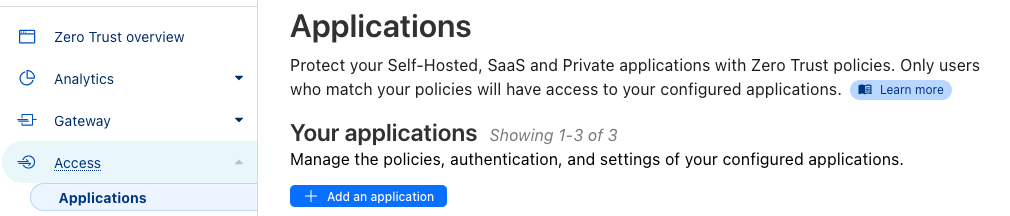
You can secure your tunnels using the Access menu and then adding an application. It should be somewhat straight-forward but you're basically looking to create an access policy and then adding the rules you want. For example a simple one is to add an allow rule for certain emails. When you enter your email an access code will be sent to you before you can access the application resource. That's just one of many ways to secure it using their application config and access policies.
I used to run Authelia with NPM. It supports TOTP as second factor.
It is! I know that Mastodon and Lemmy support it. I cannot speak for any of the others though.
view more: next ›