this post was submitted on 14 May 2026
82 points (96.6% liked)

Linux Gaming

25950 readers
467 users here now

Discussions and news about gaming on the GNU/Linux family of operating systems (including the Steam Deck). Potentially a $HOME away from home for disgruntled /r/linux_gaming denizens of the redditarian demesne.

This page can be subscribed to via RSS.

Original /r/linux_gaming pengwing by uoou.

No memes/shitposts/low-effort posts, please.

Resources

Help:

Launchers/Game Library Managers:

General:

Discord:

IRC:

Matrix:

Telegram:

founded 2 years ago
MODERATORS
 

Hello,
this is a copy+paste of a discussion I posted on Reddit a couple of days ago.

For those 4 of us who are using or are going to use the new Steam Controller under GNOME Wayland, you are probably aware that Steam is a X11 application running on a Xwayland layer, and when the Steam Controller driver tries to access to the mouse control, the Wayland desktop raises the permission request to the user.

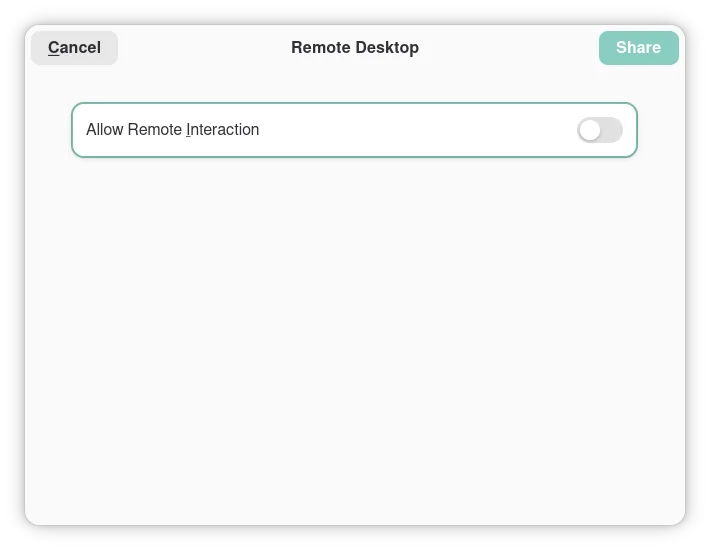
Therefore you will be greeted by this popup window here any time you turn the Steam Controller on:
image

By allowing the Remote Interaction, the Desktop behaviour of the Controller will work. If you, like me, consider this popup window annoying, consider the preload of the library Extest (https://github.com/Supreeeme/extest), which would provide an override to that permission flag when required.

The real solution would be to GNOME to enable a persistence of the permission settings for specific apps, or to Steam to move to a Wayland app. You all 3 know that neither of them would happen in the next 10 years at least.

By confronting with people in the comments, I found out that the same issue happens on other Wayland DEs such as Plasma, even though Plasma has a central option to turn off the permissions check, but the OS heavily recommends that you don’t turn it on due to it being a potential security vulnerability (because it is). A better solution could be to keep the same permission settings for a count of executions of the same application, or with a time limit.

you are viewing a single comment's thread
view the rest of the comments
[–] FauxLiving@lemmy.world 1 points 1 week ago

The link works for me.

The readme from the repo:

Extest - X11 XTEST Reimplementation for Steam Controller on Wayland

Extest is a drop in replacement for the X11 XTEST extension. It creates a virtual device with the uinput kernel module. It's been primarily developed for allowing the desktop functionality on the Steam Controller to work while Steam is open on Wayland. Usage

Be sure you have Rust installed. You will also need to install a 32 bit Rust toolchain.

rustup target add i686-unknown-linux-gnu cargo build --release

This will create a library named libextest.so in target/i686-unknown-linux-gnu/release. Note that this library is 32 bit by default because Steam is a 32 bit application.

You will also need to add your user to the input group if not added already, so that your user can be allowed to actually create fake devices:

sudo usermod -a -G input <your username>

You can then use LD_PRELOAD to override any app that wants to use XTEST functions that have been reimplemented by Extest. >Example:

LD_PRELOAD=/path/to/libextest.so steam

The repository also comes with a script to automatically override Steam's desktop file so that whenever you launch Steam from the desktop file (i.e. via desktop icon or application menu) Extest will be automatically preloaded. Just run it like so:

./override_steam_desktop_file.sh