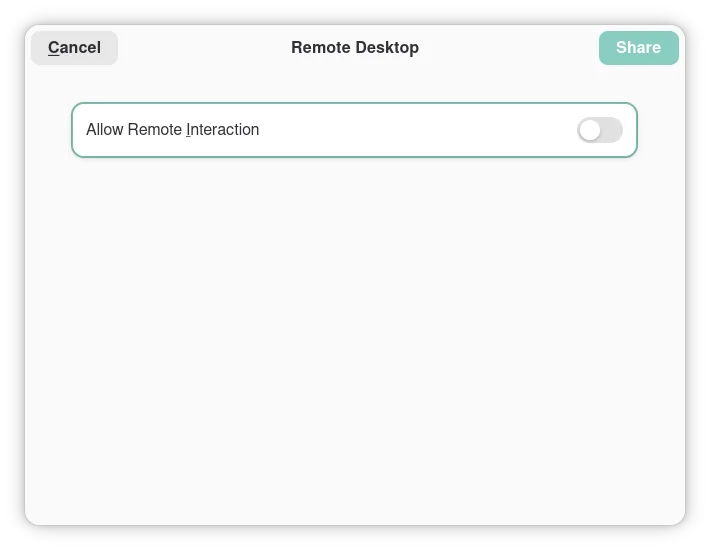
I assume you say "the 4 of us" not because of GNOME, but because you are only 4 people who were so lucky to get their hands on one of those controllers
Linux Gaming
Discussions and news about gaming on the GNU/Linux family of operating systems (including the Steam Deck). Potentially a $HOME away from home for disgruntled /r/linux_gaming denizens of the redditarian demesne.
This page can be subscribed to via RSS.
Original /r/linux_gaming pengwing by uoou.
No memes/shitposts/low-effort posts, please.
Resources
Help:
- ProtonDB
- Are We Anticheat Yet?
- r/linux_gaming FAQ
- Fork of an earlier version of the above
- PCGamingWiki
- LibreGameWiki
Launchers/Game Library Managers:
General:
Discord:
IRC:
Matrix:
Telegram:
Both. It's an intersection.
I'm running KDE and get this permission popup too. I'm not so familiar with x11 or Wayland stuff quite yet, so I'm not sure i ever would have figured this out. Thanks for the info!
I'm 2/4, thanks for the solution! I'll try it later
Recently moved off manjaro to catchy, and in the same breath, from gnome back to plasma/kde. I still get these pop ups even with my Xbox series controllers. This is also my first time using Wayland. Kinda sucks tbh. Also annoyed any time I boot all my previously opened windows open in the center of the screen on login.
Thank you for this, I was researching it again recently
5, we're 5.
6!!
48?
!The double exclamation mark notation in math means 6!! = 6 * 4 * 2!<
Perfect for pancakes or for gaming snacks, haha.
@LordDaveTheKind That link just gives me a white screen with the small text "not found".
As for the steam controller: I will be running that under gnome wayland, but given the link is dead you might want to elaborate why an extra lib would be necessary
The link works for me.
The readme from the repo:
Extest - X11 XTEST Reimplementation for Steam Controller on Wayland
Extest is a drop in replacement for the X11 XTEST extension. It creates a virtual device with the uinput kernel module. It's been primarily developed for allowing the desktop functionality on the Steam Controller to work while Steam is open on Wayland. Usage
Be sure you have Rust installed. You will also need to install a 32 bit Rust toolchain.
rustup target add i686-unknown-linux-gnu cargo build --release
This will create a library named libextest.so in target/i686-unknown-linux-gnu/release. Note that this library is 32 bit by default because Steam is a 32 bit application.
You will also need to add your user to the input group if not added already, so that your user can be allowed to actually create fake devices:
sudo usermod -a -G input <your username>You can then use LD_PRELOAD to override any app that wants to use XTEST functions that have been reimplemented by Extest. >Example:
LD_PRELOAD=/path/to/libextest.so steam
The repository also comes with a script to automatically override Steam's desktop file so that whenever you launch Steam from the desktop file (i.e. via desktop icon or application menu) Extest will be automatically preloaded. Just run it like so:
./override_steam_desktop_file.sh