Dave

joined 3 years ago
[–] Dave@lemmy.nz 2 points 1 day ago

Oh thanks for tagging me, I knew this was coming but it hadn't been front of mind. Looks like my calendar is free that weekend so far! Will have to get onto planning something.

[–] Dave@lemmy.nz 7 points 1 day ago

I've been playing this too. Seems like every time I open it there has been an update with new features added!

[–] Dave@lemmy.nz 3 points 2 days ago

The documentation says it's possible to send test notification:

That whole notification section is not familiar at all. There is current work to completely redo Monica and when I view their beta at https://beta.monicahq.com/ then it seems to reflect that new version. So I suspect that documentation is wrong for the current version (which hasn't been meaningfully updated in years).

In addition to what rhe other user asked, what do logs say, how are you configuring emails?

[–] Dave@lemmy.nz 1 points 3 days ago

Thanks for posting this question! I have the same problem and never thought to ask 😑

[–] Dave@lemmy.nz 3 points 3 days ago (1 children)

Nice job! You guys have awesome content for users.

[–] Dave@lemmy.nz 9 points 5 days ago (9 children)

I am not sure I have understood your question, but I will try to answer anyway.

Your console window is in a certain directory. This is like if you open your file browser and go to a certain directory (folder).

You typed "pwd", asking it to print the current working directory (where you are). It told you that you are in your Home folder.

Then you asked it to list out what is in that directory. It gave you a list. Those blue ones ending in / are directories inside your home folder. The white ones are files in your home folder. Is that the list you are referring to?

If you open a file browser and go to your home directory, you would see those files and folders there (assuming the system you are on has a GUI and file browser).

Does that answer your question?

[–] Dave@lemmy.nz 1 points 5 days ago (1 children)

Ah that makes sense. I had considered it might be a server but you mentioned a Konsole tab so my mind decided it must have been local machine.

Crazy it took 2 days to restart the server!

[–] Dave@lemmy.nz 1 points 5 days ago* (last edited 5 days ago) (3 children)

Could you have restarted to allow the OS to clean it up?

[–] Dave@lemmy.nz 15 points 1 week ago* (last edited 1 week ago) (2 children)

I try really hard to always add alt text! Maybe this is something the Lemmy software/apps need to support more, e.g. prompt the user if no alt text is provided.

Just checking, and Mastodon provides a little warning to tell you to add alt text:

screen shot of bottom of Mastodon posting box, showing unlabelled buttons and one called "Post" below a black and white image of branches. In the bottom left of the image is an orange box labelled ALT with a warning triangle.

It's probably not even clear to most Lemmy users that the [] for images in markdown are where you put the alt text.

[–] Dave@lemmy.nz 1 points 1 week ago

Ah good suggestion, I'll put them on my list.

I think it's with the Wimpy kid series, it's supposed to be the joke that the main character is oblivious to all the horrible things he's doing, but he just comes across as a sociopath. And I don't like that it makes fun of kids for being different, rather than the more common theme these days of our differences are our strengths.

[–] Dave@lemmy.nz 5 points 1 week ago

Weird. It's still linked from the website. It's just not there. Maybe they messed up?

[–] Dave@lemmy.nz 2 points 1 week ago

Thanks, have added to the list!


I've got a (9 yr old) kid that loves the Diary of a Wimpy Kid series. But it's terrible. The main character is a terrible friend, and a poor role model. The character frequently calls people stupid or morons, makes fun of kids outside the norm, and has weird 90s views of how boys and girls interact.

Can anyone suggest a series that their kid enjoyed for a similar audience? Even better if there are lots of them.


I recently got a new phone, and it has a quick access bar that pops up during certain actions (I think mostly when switching apps). It has a search button, the access to apps like camera, browser, phone, messages, settings.

How do I disable it?

Edit: I have worked out I can long press then I see an option to "Always show taskbar", so I haven't worked out how to hide it but I guess it's called the "taskbar", though this is different to the normal go back, go home, app switch task bar.


I'm just bought an Airgradient air quality sensor (actually two, an indoor and an outdoor).

I want to mount the outdoor one but it needs a USB-C power supply. I can run a cable but power isn't exactly close. Do I somehow find a 10m USB-C cable and run it through the roof to the sensor that I mount on the side of the house? What's a normal way of getting USB-C power to an area far away from the closest power point?

14
submitted 8 months ago* (last edited 8 months ago) by Dave@lemmy.nz to c/buildapc@lemmy.world
 

Christmas is coming, and I'm thinking a family PC is on the cards from santa.

It would need to run minecraft and Lego city undercover and that sort of thing.

I already have a spare TUF 750W bronze rated power supply (that I bought one time I was troubleshooting).

I will also probably upgrade my RX5700XT graphics card so put that in this build (suggestions welcome for a good bang for buck replacement that's good for a server running Mint and ollama (needs high VRAM) as well as used for gaming).

Everything else would be new. Suggestions for monitor, keyboard, mouse, speakers too please!

Let's aim for a ballpark of $1000USD (I'll be purchasing in New Zealand).

Thanks in advance!


I had a previous post about how the game and computer would freeze when using my controller. This is now resolved, the controller no longer freezes the computer, but I'm still getting weird visual artifacts in games, and one game (Assassin's Creed Rogue) is freezing, which seems to be triggered when I enable the eagle vision. I've already played 20 hours without a single crash or issue until this recent system update.

I've got an up to date Nobara installation, using the Gnome version. Nobara is based on Fedora with some gaming related things pre-installed. It's running on an OG Framework laptop, so it's Intel integrated graphics but it has been working great until now.

I'm running Assassin's Creed Rogue through Steam. I have tried running the game using the experimental proton but that didn't help.

Anyone got ideas for further troubleshooting? The best I've got is that it might be shader related, as in Hades the lighting is weird and in Assassin's Creed Rogue it's enabling eagle vision that triggers it to freeze. I have tried disabling the pre-cached shaders and it doesn't help, I've enabled it to trigger re-generation of them but it didn't help.

Any ideas?

Edit: I sort of solved this. It seems to be related to GNOME, when running the KDE Plasma desktop environment it doesn't crash. So I guess I'm using KDE until that gets resolved.


I've been using an Xbox One controller with a dongle on my OG Framework laptop running Nobara (GNOME edition) for a number of years with no issues. After a recent system update, now connecting the controller causes freezes.

If I'm in a game (the game I'm playing is Assassin's Creed Rogue), then it freezes the game but I do seem to be able to get out of it so it doesn't seem to be a kernel panic.

If it's still connected when restarting, it will freeze at the login screen and I have to restart.

The system is up to date, and as part of trying to fix this I've updated the driver to this one, as the previous one doesn't seem to be maintained anymore.

Any tips on trouble shooting this further?

434
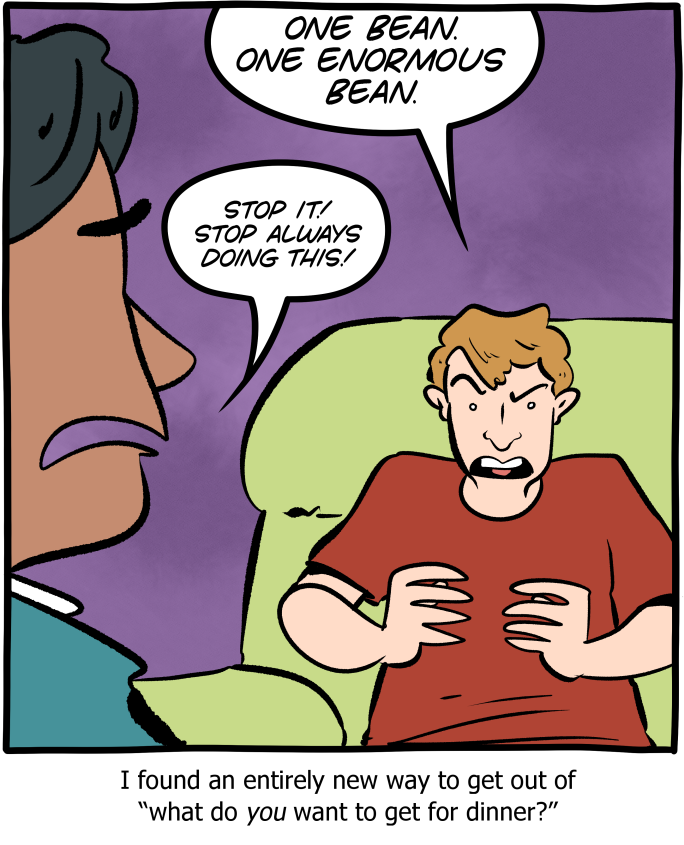
submitted 1 year ago* (last edited 1 year ago) by Dave@lemmy.nz to c/comicstrips@lemmy.world
 

Possibly related:

screen shot of memory usage by app, showing Firefox using over 18GB of RAM

I also don't understand why every chat app needs 1GB of RAM to itself.


Hi all, I have recently installed Bazzite, after previously being on Nobara.

I have been playing Dave the Diver and DOOM (2016), both through Steam, and I get pretty serious input lag. A second or more delay at times, generally when FPS is struggling.

I'm running on a laptop with integrated graphics, so the struggling integrated GPU is not a surprise, but I didn't have this input lag issue with the same games on Nobara.

Any tips on a setting or something to help this?

I have lowered graphics settings to help with FPS, but ultimately I am not going to be able to avoid occasional FPS dips. The mouse input is instant, it's just an issue with the keyboard.

Any help appreciated!

Edit with solution: it seems the problem is IBus, see this comment: https://lemmy.nz/post/23401044/15684126

Basically the solution is to add IBUS_ENABLE_SYNC_MODE=2 to /etc/environment and restart.


This morning my kid asked the voice assistant to "Turn off the computers in this house".

I heard it, thought well that's a strange request but seems harmless because how is home assistant gonna turn off computers.

Me a little while later, "why is shit broken? What's happening!"

Turns out dumb me had adguard exposed to the voice assistant, it switched off all the adguard settings including the DNS rewriting that is the cornerstone of many of my self-hosted services.

I've since revoked that access.


I'm not really sure where the right place to ask is, but I figure this is a good place for docker related questions.

I have recently installed Bazzite as my daily driver, previously I was on Nobara. The main difference here is that Bazzite is immutable, so you can't (or shouldn't) install stuff in the normal way as it may get overwritten by updates.

I have a bunch of docker compose YAML files. I want to run these locally. But I also don't want to tweak anything in the files to get them running because they should be able to be copied to a prod environment as is or the local test environment isn't a good test. Prod would be either my Linux Mint server or an Ubuntu Server one.

Bazzite has a ujust script available for installing docker, but this doesn't include docker compose, and I'm not sure how to add that in.

Searching online shows everyone saying just use podman, it comes pre-installed and is a drop in replacement. The problem is that it doesn't work.

Maybe that's my question, why isn't my compose.yaml working with podman?

For example, the container gives me a bunch of messages about missing environment variables, but they are set in the compose.yaml.

I also get a bunch of permissions errors. E.g. here is the mariadb trying to access a directory and then trying to change the ownership:

[db]         | find: ‘/var/lib/mysql/’: Permission denied
[db]         | chown: changing ownership of '/var/lib/mysql/': Permission denied

Volumes are all bind mounts. After the container created the local directories, I set all the permissions to 777 as a test and took the containers down then up and it still complains about permissions.

I feel like there is something specific to podman or Bazzite I'm not understanding. Any help?

I'm also happy to take suggestions on other ways to use docker compose in Bazzite.

Thanks in advance!

Edit: I have solved this by adding a Z flag to my bind mounts (./localdir:/containerdir:Z) as per this answer.

view more: next ›